AI Productivity App
How might AI reduce coordination overhead without taking decision-making away from people?
- Domain
- Enterprise Productivity / AI
- Role
- UX / Product Designer (solo)
- Duration
- 1 week
- Team
- Solo
- Status
- Concept / Prototype
- Research
- Secondary / online research
- Platforms
- Desktop web
- Type
- SaaS / Enterprise web application / Dashboard
01
The challenge
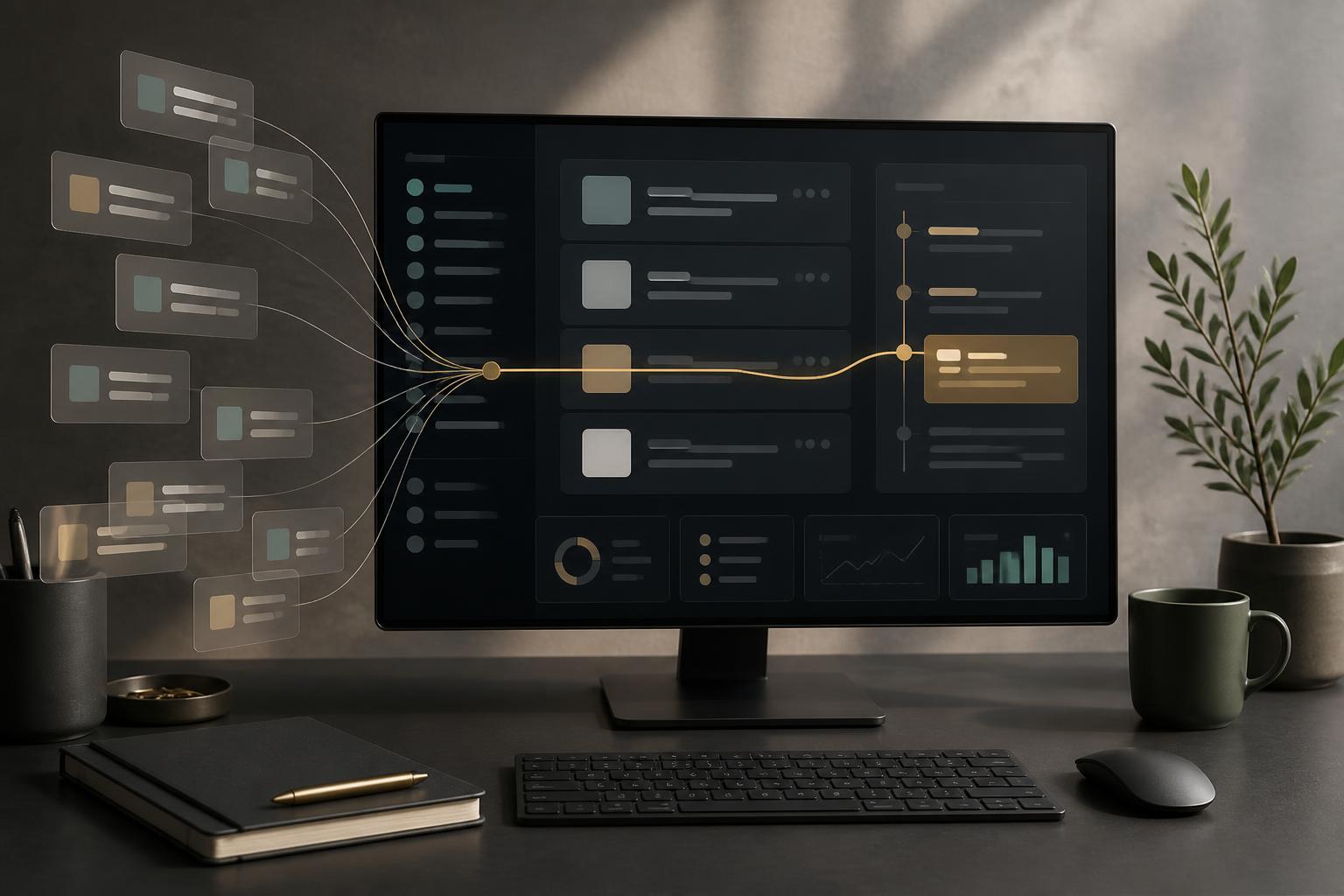
Enterprise teams work across Jira, Slack, Google Sheets, Notion and Calendar. Work is done in one place, discussed in another and reported in a third.
The cost is not a missing feature. It is coordination: information scattered across systems, constant context switching, notification overload and a daily job of manually assembling status before anyone can decide anything.
Who it affects
- Managers and team leads — need project health, workload, risk and progress.
- Individual contributors — need to know what actually deserves attention today.
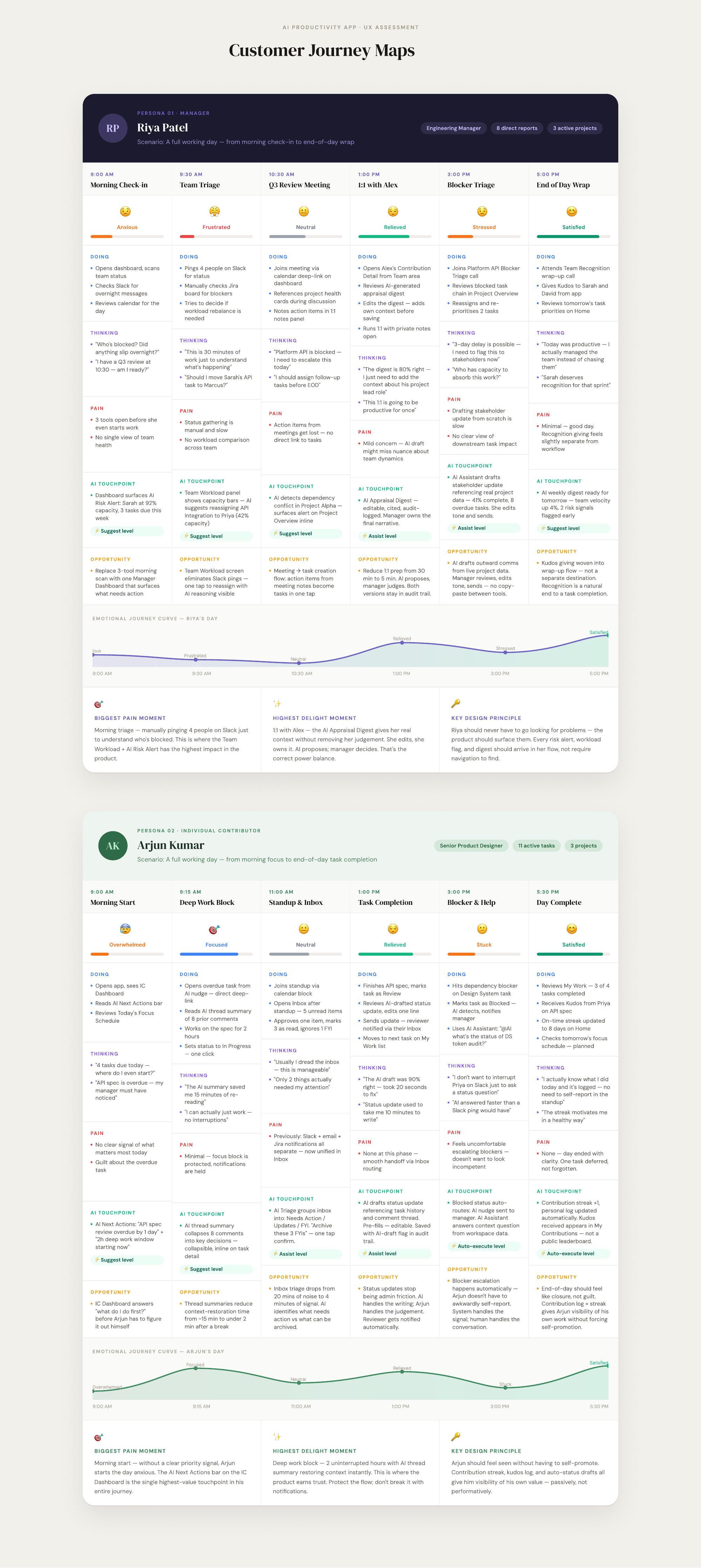
The emotional problem underneath the tooling problem is a lack of clarity — for managers, “What’s blocked? Did anything slip?”; for contributors, “What do I need to do today?”
02
Context
- Users
- Engineering / product managers and individual contributors
- Environment
- Enterprise knowledge work, desktop-first
- Digital comfort
- Medium to high
- Existing tools
- Jira, Slack, Sheets, Notion, Calendar
Where the problem shows up
- Daily work planning
- Task management
- Project monitoring
- Team coordination
- Meetings
- Workload management
- Status communication
- 1:1 and performance preparation
Research approach: secondary / online research into manager and contributor workflows. No primary interviews were conducted for this concept.
03
Key insights
Opportunity identified through project analysis
Observed: most tools optimise for capturing work, not for interpreting it. Meant: people spend their attention gathering, not deciding. Mattered: the expensive part of a manager’s day is the reconstruction of context.
Observed: AI features are usually parked in a separate destination — a chat tab. Meant: users must know a question exists before AI can help. Mattered: assistance has to sit inside the work, not next to it.
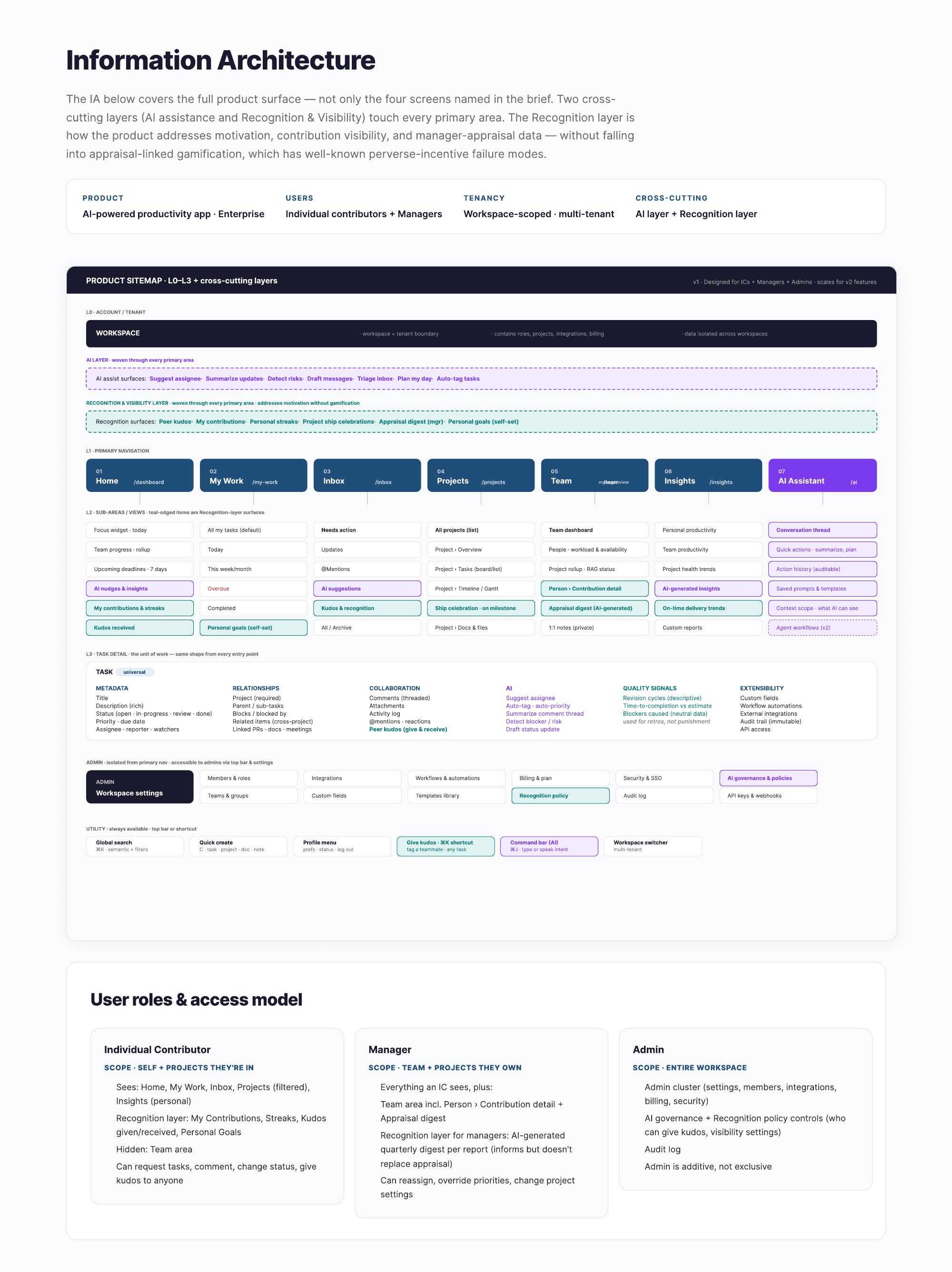
Observed: trust breaks the moment AI touches workload, performance or appraisal information. Meant: automation level is a design decision, not a technical setting.
04
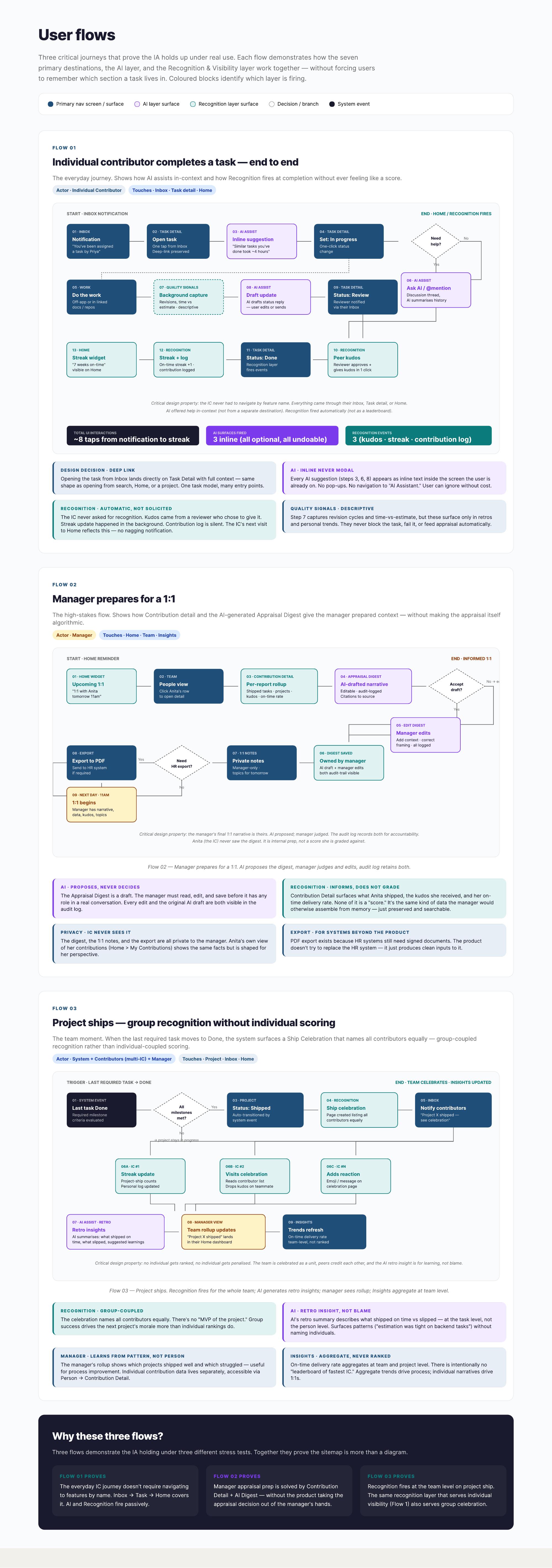
User journey
Core loop
- Detect
- Understand
- Decide
- Act
- Monitor
Representative workflow
- Signal
- Context
- AI recommendation
- Human review
- Action
- Result
The stuck point sits between Understand and Decide: knowing what is happening and judging whether it deserves attention. That is where the design effort went.
05
Design decisions
The problem
Users could not tell what required their attention.
Explored
A — Show everything and let people filter
Explored
B — Prioritise critical information
Explored
C — Use proactive signals with reasoning attached
Decision
Prioritise critical information, delivered as contextual signals.
Why
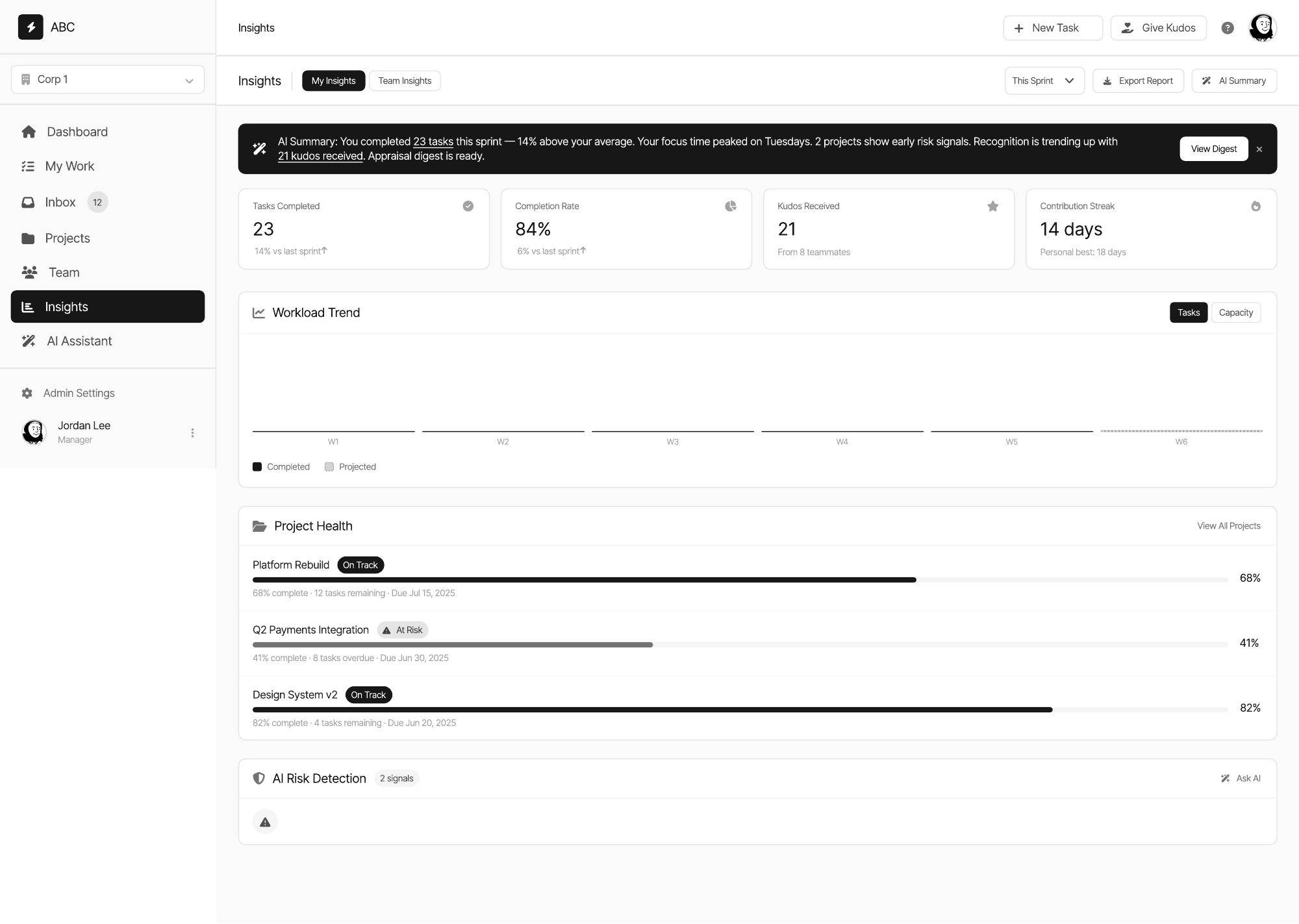
People needed to understand what required attention without scanning everything. A signal without reasoning becomes another notification, so each one carries the evidence behind it.
The problem
Where should AI live in the product?
Explored
A — A separate AI assistant destination
Explored
B — AI embedded contextually in each work surface
Explored
C — Background automation with no visible surface
Decision
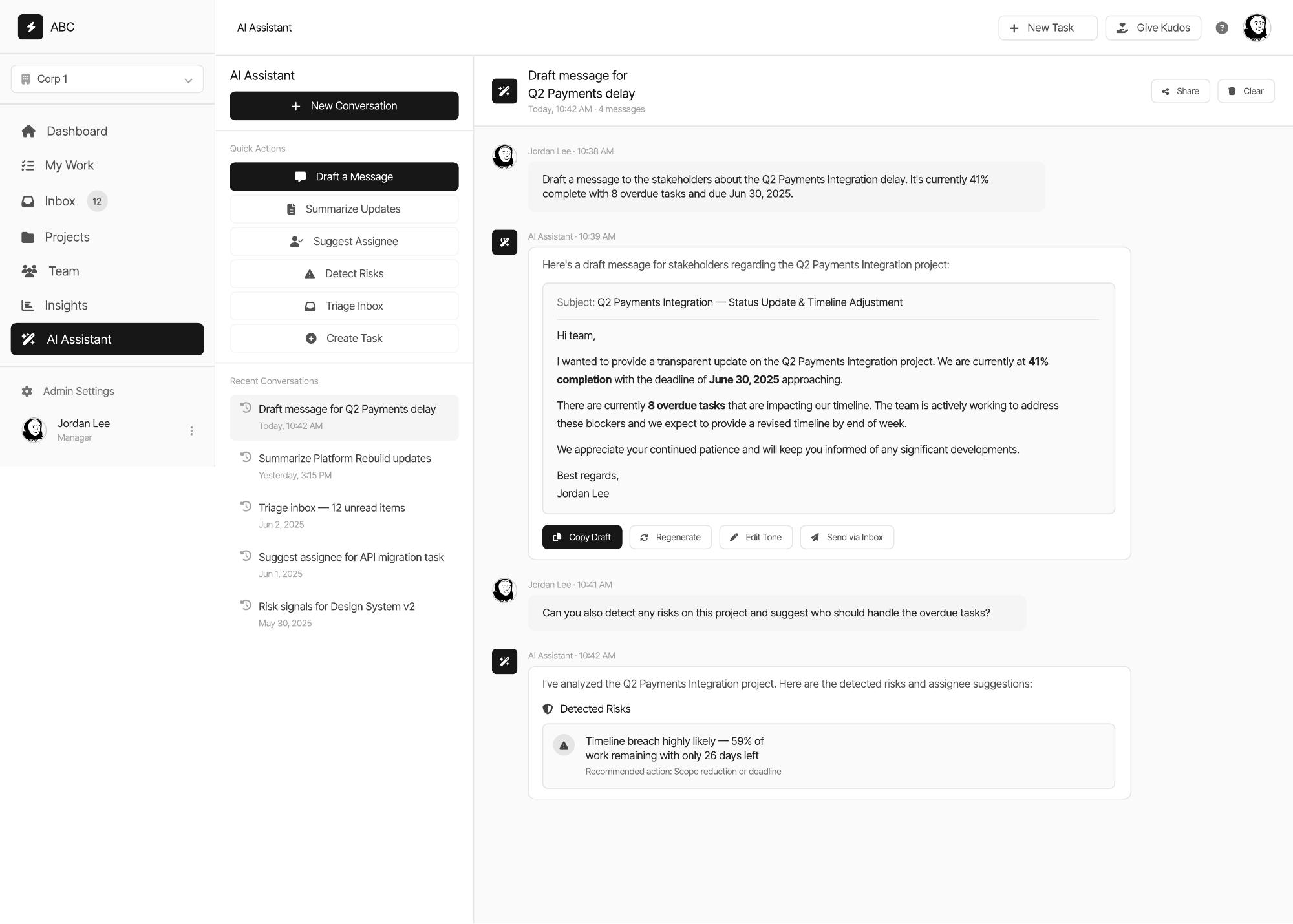
AI as a cross-cutting contextual layer inside existing work areas.
Why
A separate destination requires the user to already know they need help. Invisible automation removes the ability to judge the suggestion. Contextual assistance keeps both awareness and control.
The problem
How much autonomy should AI have?
Explored
Suggest
Explored
Assist
Explored
Auto-execute
Decision
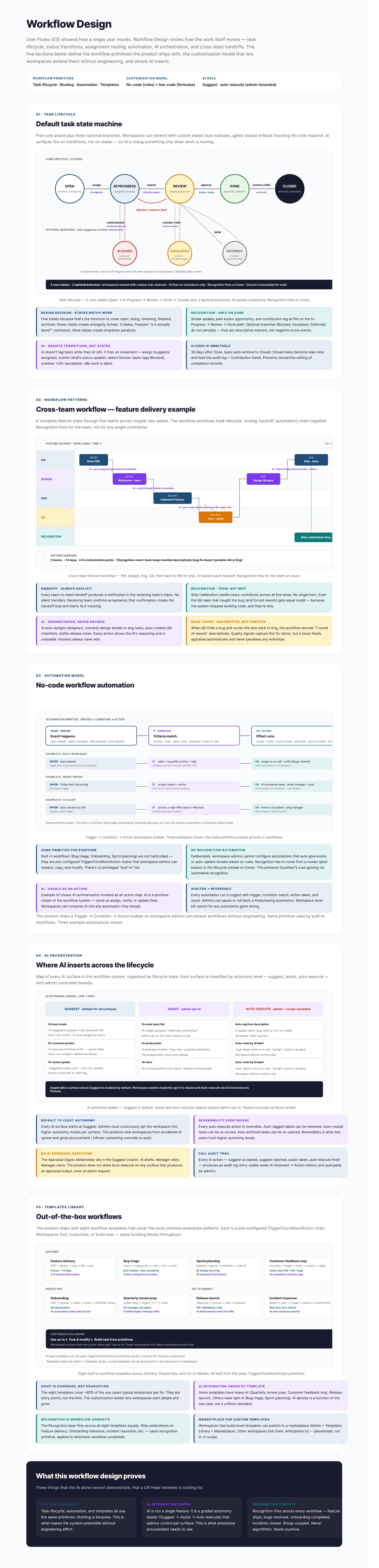
Suggest is the default for anything consequential.
Why
Auto-execution is reserved for low-risk, reversible, repetitive actions. Anything touching workload, performance or people stays a human decision with an editable, reversible AI draft.
Responsible AI model
- AI proposes
- Human reviews
- Human decides
Applied throughout
- Suggestions are labelled as suggestions
- Outputs are editable before they are used
- Consequential actions require confirmation
- Actions are reversible
- Reasoning is shown with the recommendation
- AI activity remains auditable
06
The experience
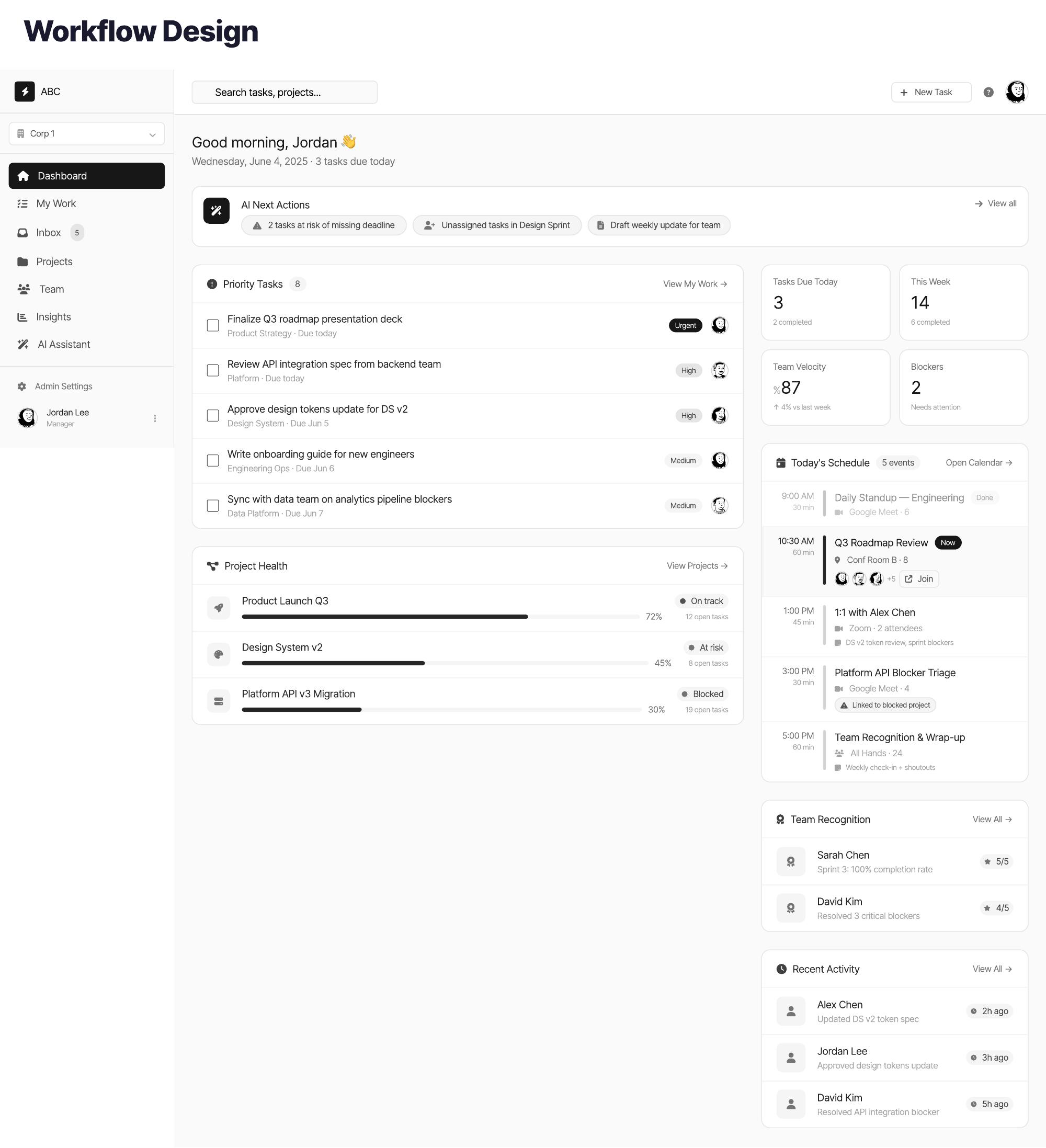
What I simplified
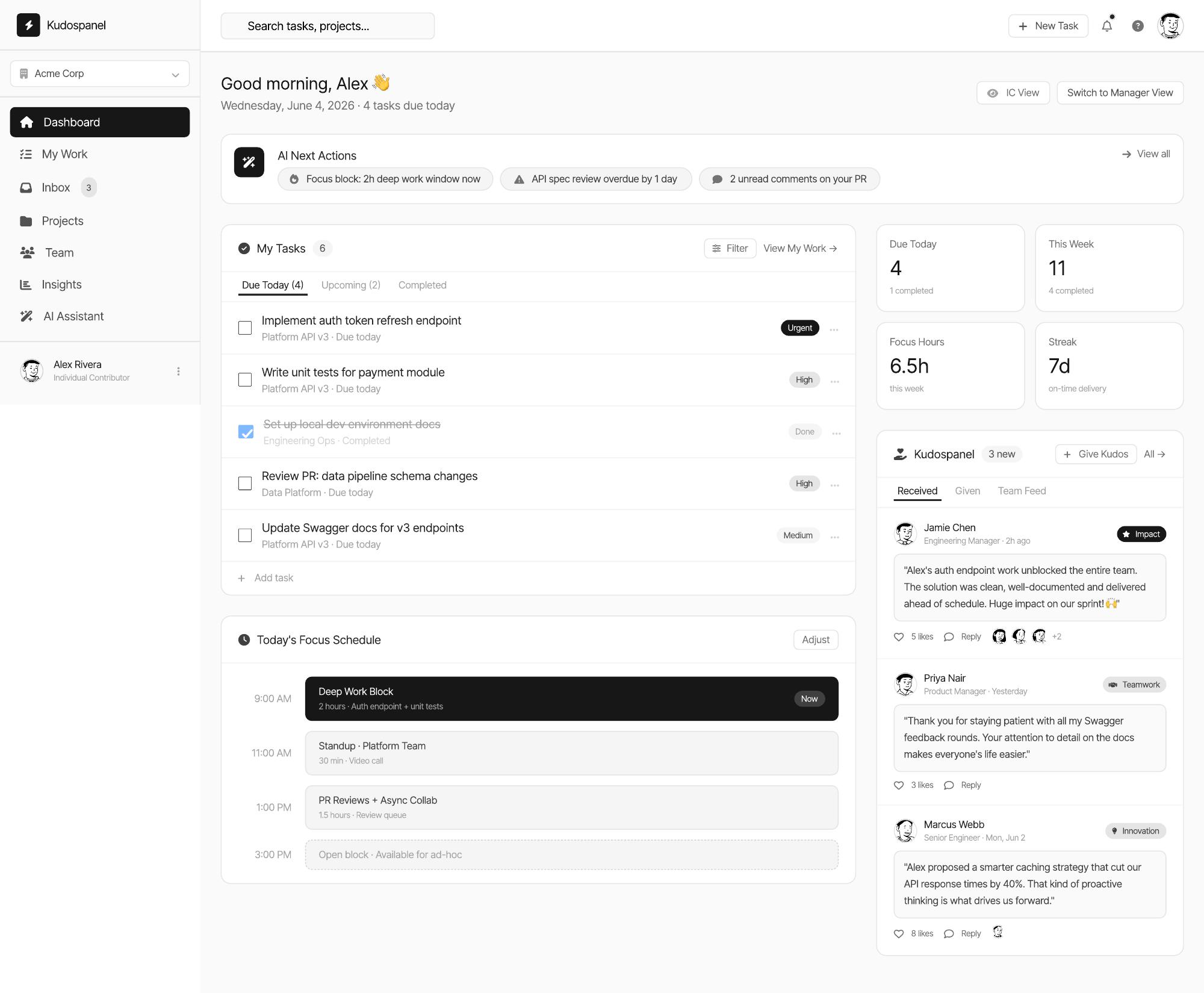
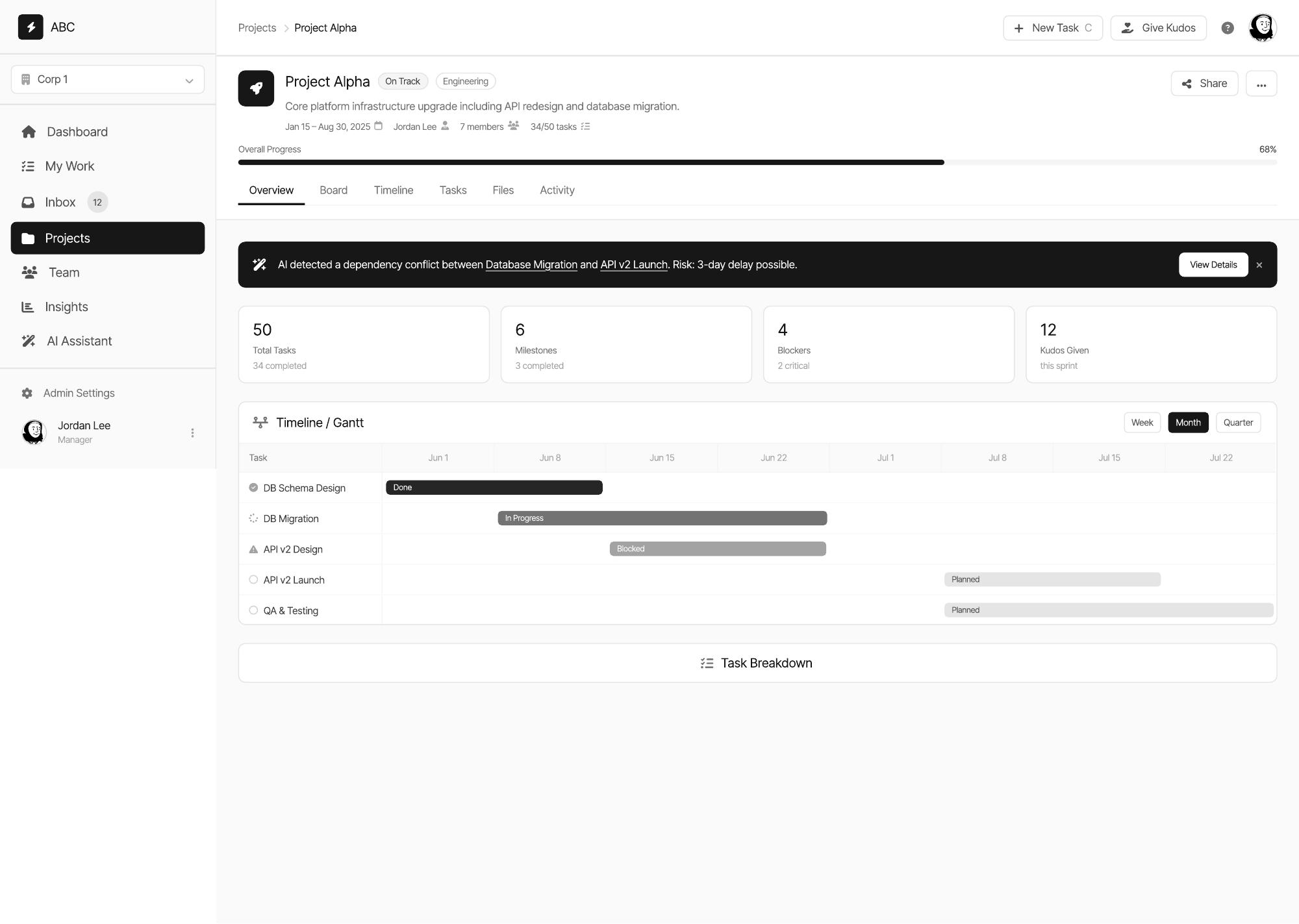
- Multiple tools → unified workspace
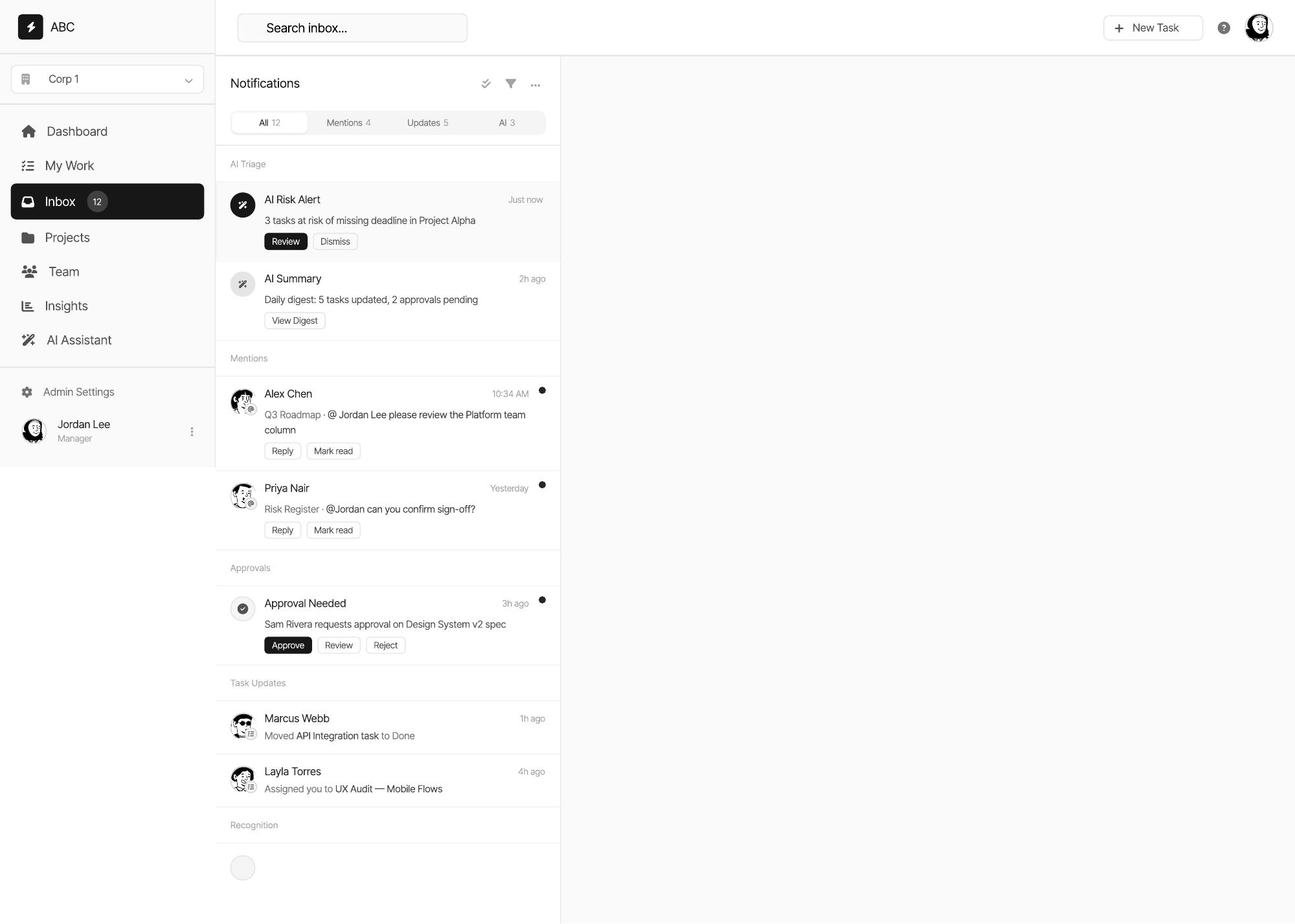
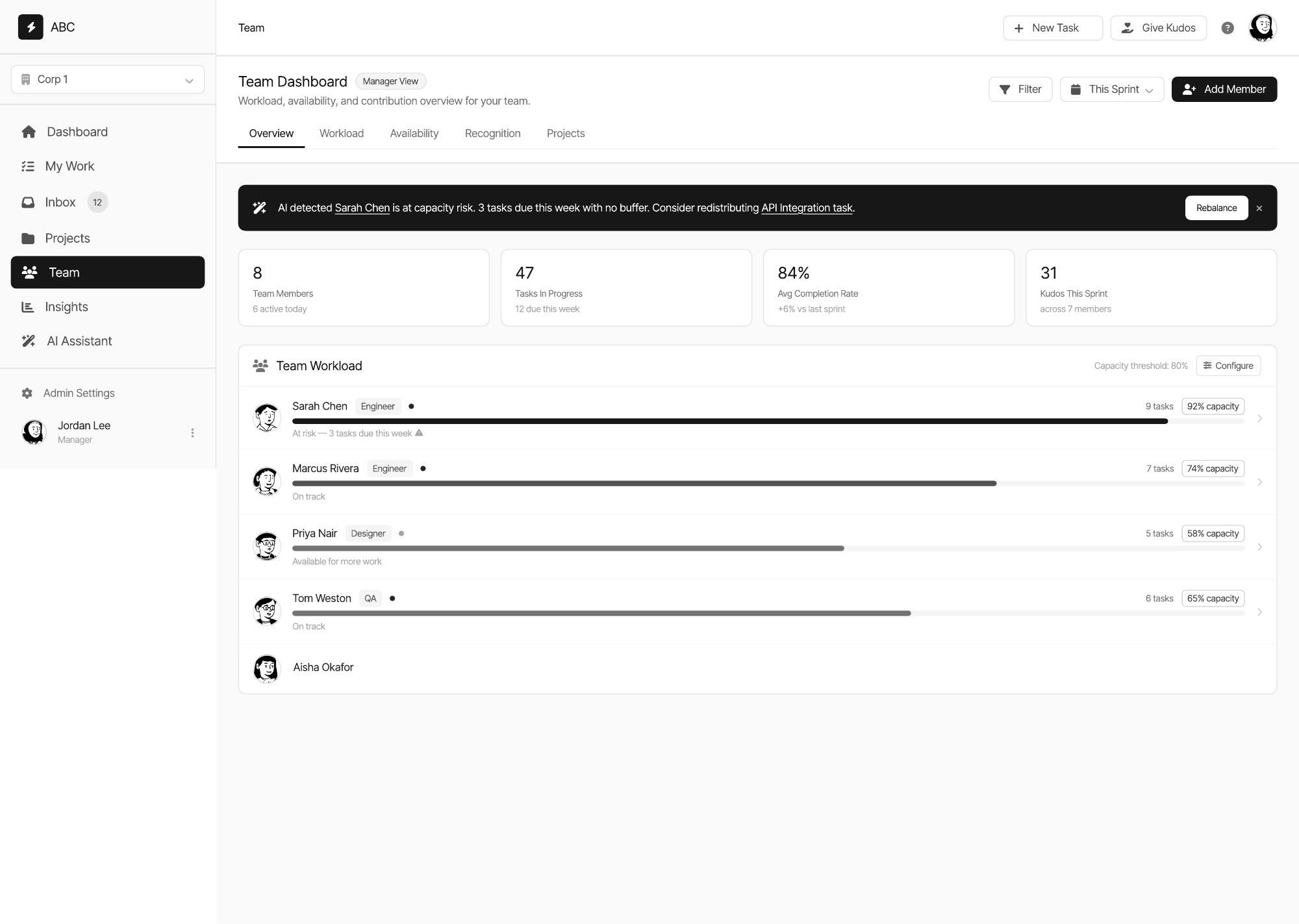
- Manual status gathering → proactive signals
- Separate AI tool → contextual AI
- AI automation → human-controlled AI
- Scattered task information → unified task context
07
Validation
Usability testing: not conducted yet. Validated metrics: none yet. Next step — usability testing with representative knowledge workers.
What I would measure first
- Time spent gathering status information
- Task completion for “what needs my attention today”
- Perceived cognitive load
- Whether users accept, edit or reject AI suggestions
08
Outcome
Before
- Fragmented
- Manual status gathering
- Notification overload
- AI as a separate tool
After
- Unified workspace
- Proactive signals
- Prioritised attention
- Contextual, human-controlled AI
Concept outcome. No production or measured results are claimed.
The intended feeling is calm confidence: “I understand what matters, I know why it matters, and I’m still in control.”
Reflection
What I learned
- 01Autonomy level is a design decision. Choosing Suggest over Auto-execute changed the product more than any layout choice did.
- 02A recommendation without its reasoning is just another notification — trust came from showing the evidence, not from better wording.
- 03Designing an AI layer forced me to define what a human must never delegate. That list became the product’s spine.
- 04One week is enough to make a concept coherent, not enough to make it credible. The next honest step is testing, not more screens.
Case study summary
- Problem
- Coordination overhead across fragmented tools
- My contribution
- Solo end-to-end concept: research synthesis, IA, flows, AI autonomy model, high-fidelity design
- Key decision
- Suggest-by-default AI embedded contextually, with reasoning and reversibility
- Outcome
- Concept / prototype — validation still to be conducted
- Main learning
- Define what humans must never delegate before designing the assistance
Media I need from you
Upload order for this case study
Send them one at a time and I'll place each one exactly where it belongs. Start with Essential — the case study reads correctly once those are in.
Essential
- Manager dashboard
- AI risk alert
- AI assistant in context
- Task / project experience
- Main workflow diagram
Important
- Wireframes
- AI autonomy model diagram
- User journey
- Alternative explorations
- Prototype recording
Optional
- Sketches
- Design process video
- Personal explanation video